Ever deleted an Entra tenant? It is not as easy as you might think. And pulling the licenses can leave you in a corner you did not expect.
The environment is no longer needed. The obvious next step is to stop paying for it, remove what is left and delete the directory. But you still need a working Global Administrator to finish that job. If the remaining administrators depend on PIM, the licensing cleanup can remove the very activation path you were planning to use.
That is where a cleanup task can become an access-recovery task. And even after you finally select Delete, there is another question to answer: what evidence tells you the tenant has stopped resolving?
The licenses go. So does your activation path
Imagine that every remaining Global Administrator is only eligible through PIM. You let the tenant's final PIM entitlement expire during retirement. You still have the credentials, but you can no longer activate the role needed to finish.
Microsoft documents this behavior when an Entra ID P2, Entra ID Governance or trial entitlement expires: PIM becomes unavailable and eligible assignments are removed, preventing activation. Active permanent assignments remain. The current FAQ also says active assignments with an end date become permanent. Do not assume their expiry will still remove privilege after the license ends.
The dependency needs resolving before the final entitlement expires. Verify a protected Global Administrator account with a permanent active assignment and working authentication. Keep that path available while you clear the remaining subscriptions and deletion checks.
PIM license-expiry behavior:
https://learn.microsoft.com/en-us/entra/id-governance/licensing-fundamentals#what-happens-to-pim-when-a-license-expires
This is one reason emergency access matters during retirement. While a tenant is operational, Microsoft recommends at least two cloud-only emergency accounts on the onmicrosoft.com domain, with permanent active Global Administrator assignments, phishing-resistant authentication and regularly tested access. Preserve that recovery capability until the final deletion preparation, when the checks require reducing the user population to the last Global Administrator.
Microsoft emergency access guidance:
https://learn.microsoft.com/en-us/entra/identity/role-based-access-control/security-emergency-access
Sometimes you have to get back in first

Licensing is one way to lose the administrative path. Old tenants bring other problems. In earlier cleanup work, administrators had left or replaced their phones, and the remaining accounts could no longer complete MFA. A password reset alone did not restore access.
Before removing anything, establish which directory you are dealing with. Record its GUID and initial domain, and match them to the approved retirement request. Similar display names are easy to confuse. Then check who can actually sign in, complete authentication and use the Global Administrator role Microsoft requires for deletion.
An eligible assignment also depends on working MFA, activation and any required approval. In recovery cases I documented, support required an active role assignment for the requested action. An account name in a runbook therefore needs a tested path behind it.
The route back depends on the directory:
- A working authorized administrator or prepared emergency account: use the established recovery procedure and verify the required role.
- An existing partner relationship: check that GDAP is still active and includes the roles needed for the recovery action. A commercial relationship alone supplies no directory authority.
- A managed tenant with no working administrator: open a Microsoft support case. Microsoft's cloud-footprint guidance identifies Data Protection assistance for locked-out owners.
- A genuinely unmanaged directory created through self-service sign-up: assess Microsoft's takeover procedure and its eligibility requirements. Internal takeover grants administration in that directory; external takeover moves the domain and associated resources to another directory. A forgotten administrator does not make a managed tenant unmanaged.
Identify the cloud and service before selecting a support route. DNS control can be part of verification, but it does not provide a universal route into a managed tenant. In earlier development-tenant cleanup work, billing and licensing contacts helped us find the remaining account and contact path. That was a useful lead rather than administrator authority.
Recovery route references:
https://learn.microsoft.com/en-us/azure/cost-management-billing/manage/discover-cloud-footprint#how-can-i-regain-access-to-a-tenant-owned-by-my-organization
https://learn.microsoft.com/en-us/partner-center/customers/gdap-preventing-tenant-lockouts
https://learn.microsoft.com/en-us/entra/identity/users/domains-admin-takeover
Recovery depends on people and records you may be about to remove
The practical details mattered in my support cases. Verification involved callbacks to registered phone numbers, email and checks of organizational authority. When an alternative account contact was missing, the tenant technical contact became relevant. A reachable external mailbox alone did not establish company authority.
Keep those contacts usable outside the affected tenant. Public profile phone numbers and authentication methods are separate records, so checking one does not establish that the other works.
Before you pull the licenses, check who Microsoft could actually reach and whether those people could still access the registered phone numbers and mailboxes.
For example, the following fictional contact record would give the retirement team something concrete to verify. These are suggested operational records, not a guarantee that support will accept a particular verification method:
- Administrator contact: Alex Example, Identity Operations, with a current callback number including its country code and a reachable company email address. Keep the account's contact information current; retain the responsible person and deputy in the recovery record.
- Alternative contact mailbox: alex@example.com, hosted in the organization's continuing tenant and accessible if the target tenant is locked or removed. Reachability and proof of company authority are separate checks; confirm the required reply path with support.
- Technical tenant contact: cloud-operations@example.com, monitored by a named team with a deputy and hosted outside the tenant being retired. Test delivery and establish who can receive and respond to a support message.
- Emergency administrator: emergency-admin-01@contoso.onmicrosoft.com, a fictional cloud-only account with a permanent active Global Administrator assignment and a tested FIDO2 credential under controlled organizational custody. Its availability should not depend on a former employee's private phone.
- Protected recovery record: the tenant GUID, initial domain, administrator account identifiers, contact owners, DNS operator, relevant ownership or billing references and the date of the last successful access test. Store credentials separately in the approved secure system.
A profile phone number does not configure MFA, and a monitored technical-contact mailbox does not grant administrator rights. Update and test each dependency separately. For individual administrator contact details, Microsoft documents Users > Active users > the administrator account > Manage contact information in the Microsoft 365 admin center. Organization and billing contact records are maintained separately.
Administrator and organization contact references:
https://learn.microsoft.com/en-us/microsoft-365/admin/manage/update-phone-number-and-email-address?view=o365-worldwide
https://learn.microsoft.com/en-us/microsoft-365/admin/manage/change-address-contact-and-more?view=o365-worldwide
Microsoft authentication-method guidance:
https://learn.microsoft.com/en-us/entra/identity/authentication/howto-mfa-userdevicesettings
Custom-domain verification could also require a supplied DNS record. Before removing a domain, confirm that no open recovery step still depends on it and that an authorized DNS operator is reachable.
My earlier cases required escalation to data protection specialists. Some verification stages took up to a day, and a Conditional Access intervention was limited to 24 hours. Those are observations from specific engagements, not a support SLA or a universal recovery procedure. Confirm the requirements, scope and expiry with the case owner, and use any approved recovery window to restore controlled administration and verify how temporary changes will be reversed.
Only then does the ordinary cleanup begin
With usable administration secured, work through the dependencies. Decide which workload data and records must survive, migrate them before deleting their objects and keep the evidence outside the tenant being retired.
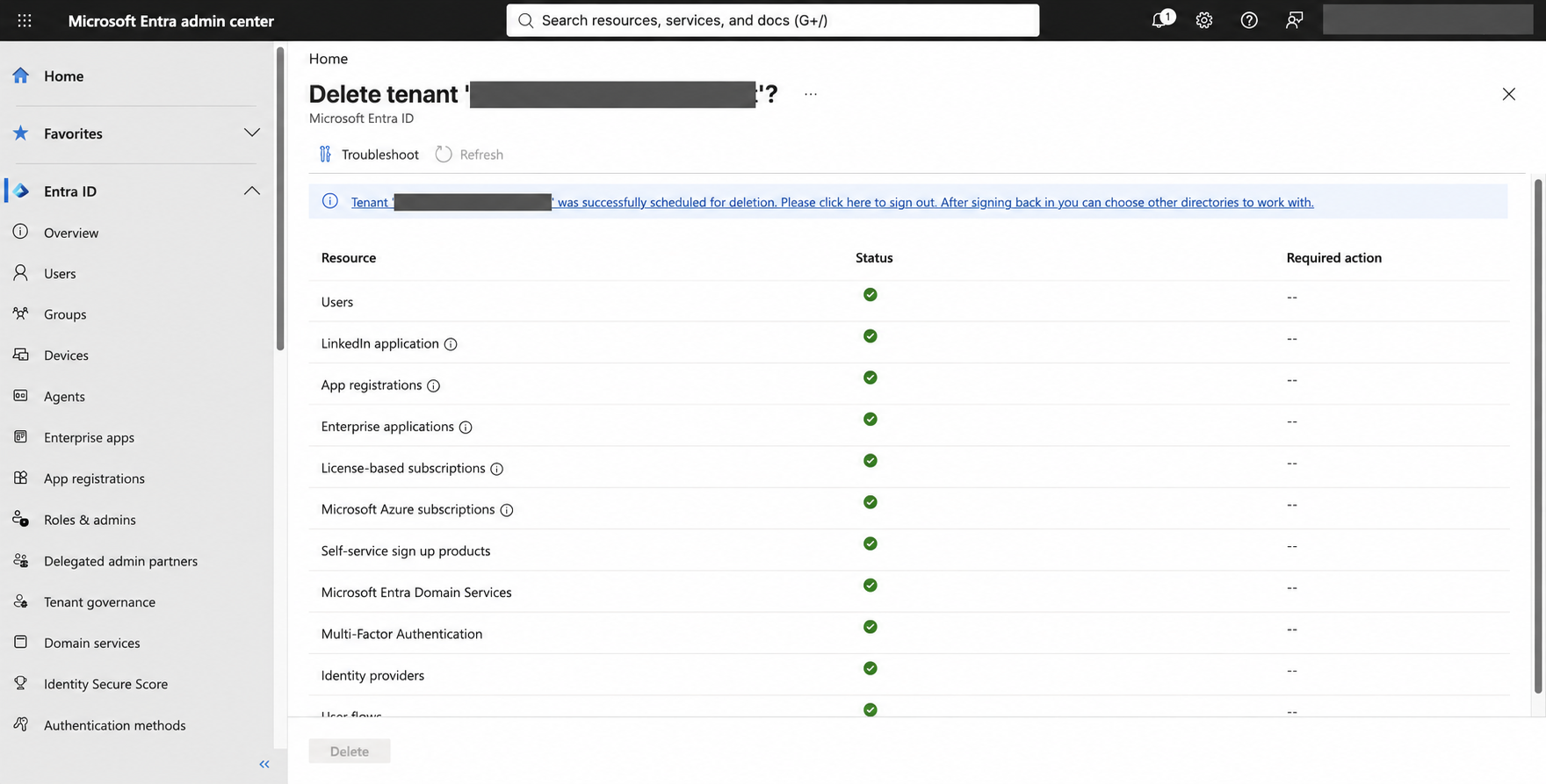
Microsoft's preparation checks cover outstanding invoices, users other than the final Global Administrator, applications, linked MFA providers and subscriptions across Microsoft Online Services. Stop on-premises synchronization before removing synchronized users. Include Microsoft 365 and Entra subscriptions as well as Azure: canceled or expired license-based subscriptions can still block deletion until deprovisioned.
Microsoft's tenant deletion procedure:
https://learn.microsoft.com/en-us/entra/identity/users/directory-delete-howto
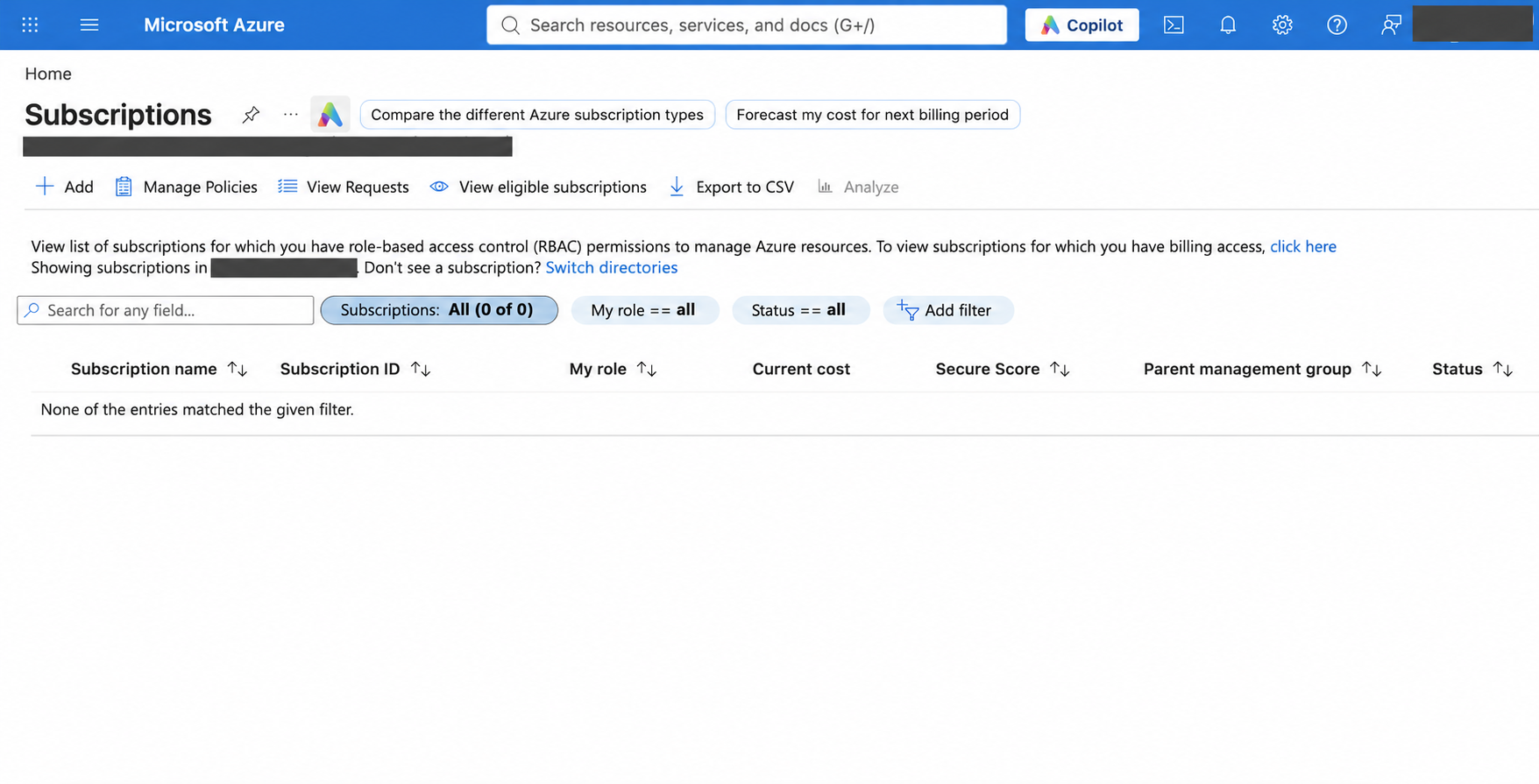
An empty Azure subscription view can be misleading. Global Administrator in Entra does not automatically grant access to Azure subscriptions. Microsoft documents separate access elevation to User Access Administrator at root scope. Check the effective permissions and view filters before treating an empty result as complete, and follow pagination when using an API. Record and remove temporary elevation when it is no longer needed.
Microsoft's access elevation guidance:
https://learn.microsoft.com/en-us/azure/role-based-access-control/elevate-access-global-admin
Keep current domain state separate from historical claims as well. No custom domain in the present list does not mean one never existed, and an empty seven-day audit search only describes that window.
The documented deletion path is Microsoft Entra admin center > Microsoft Entra ID > Overview > Manage tenants. Select the confirmed tenant and Delete, resolve each failed check, then submit Delete once all checks pass. Capture the GUID, UTC time, operator and exact portal result. If the result says deletion was scheduled, that is the status you have established at this point.
You selected Delete. Is the tenant gone?

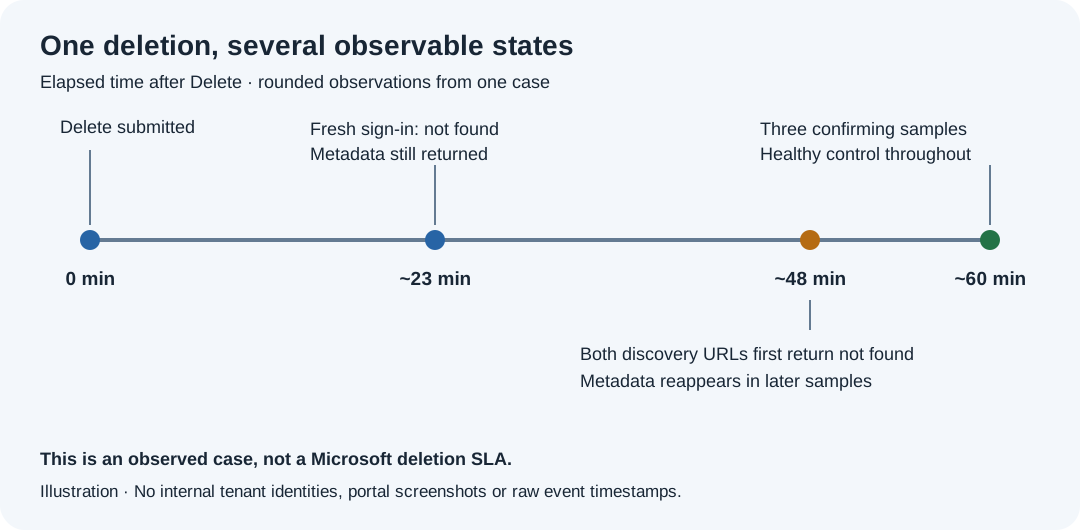
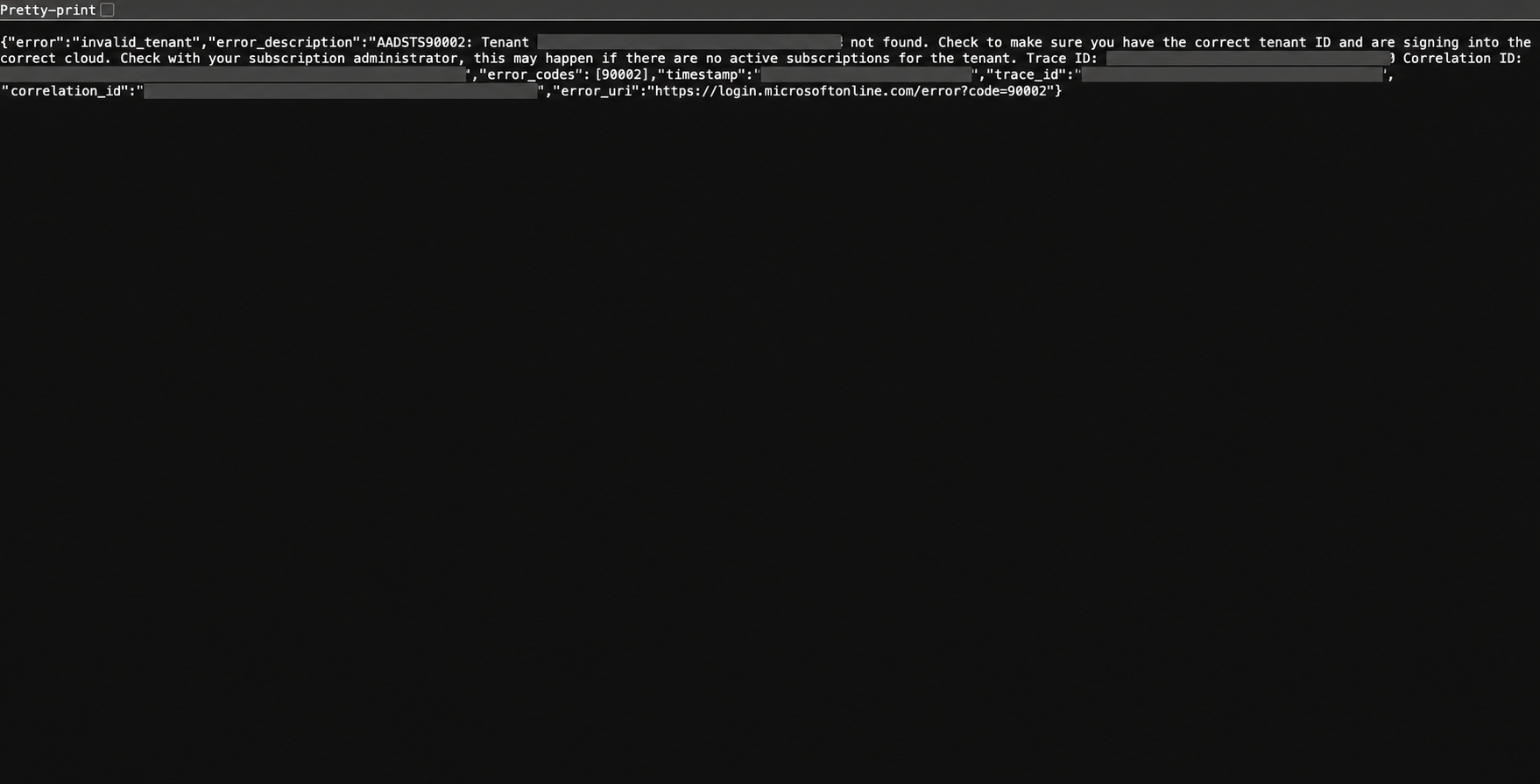
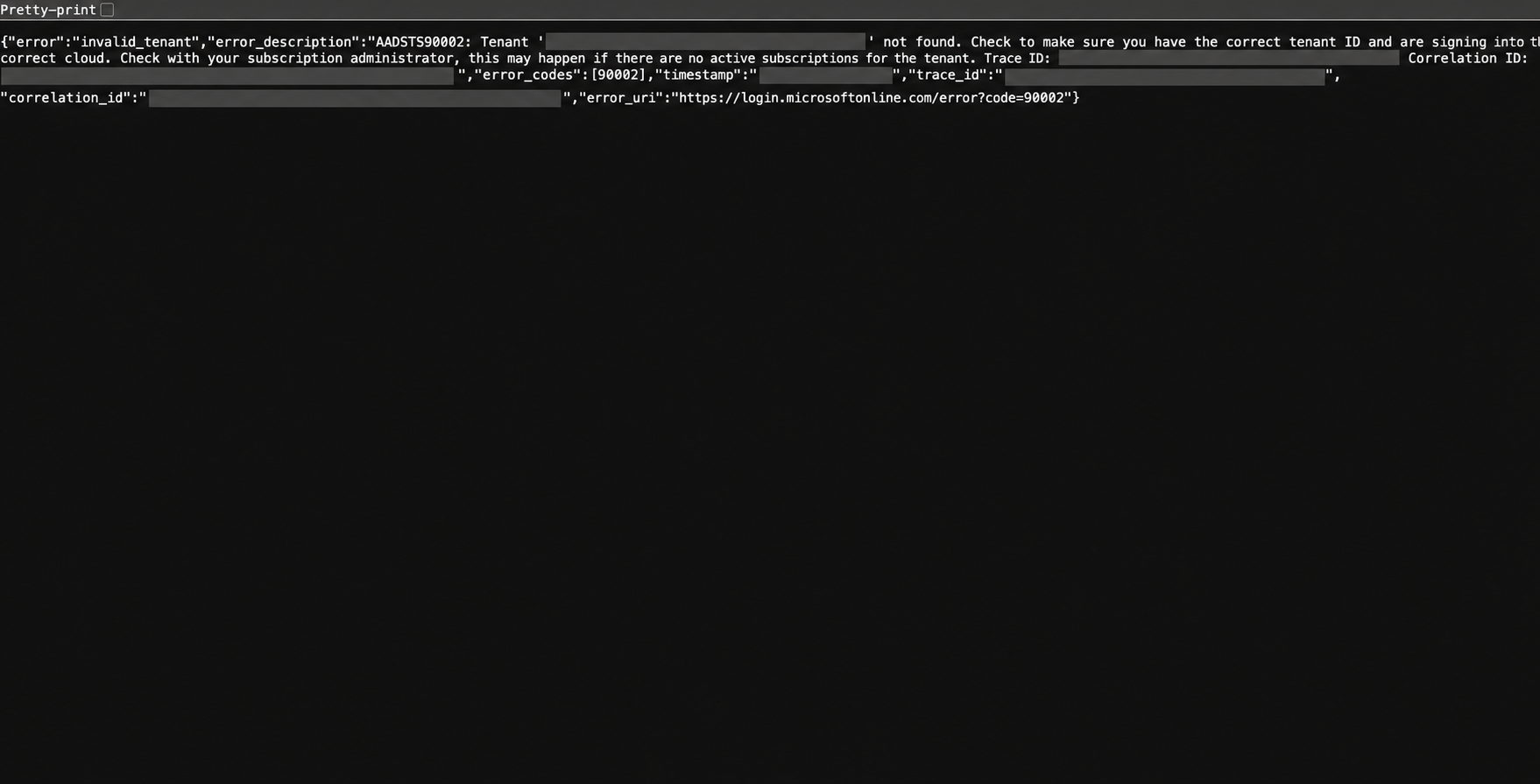
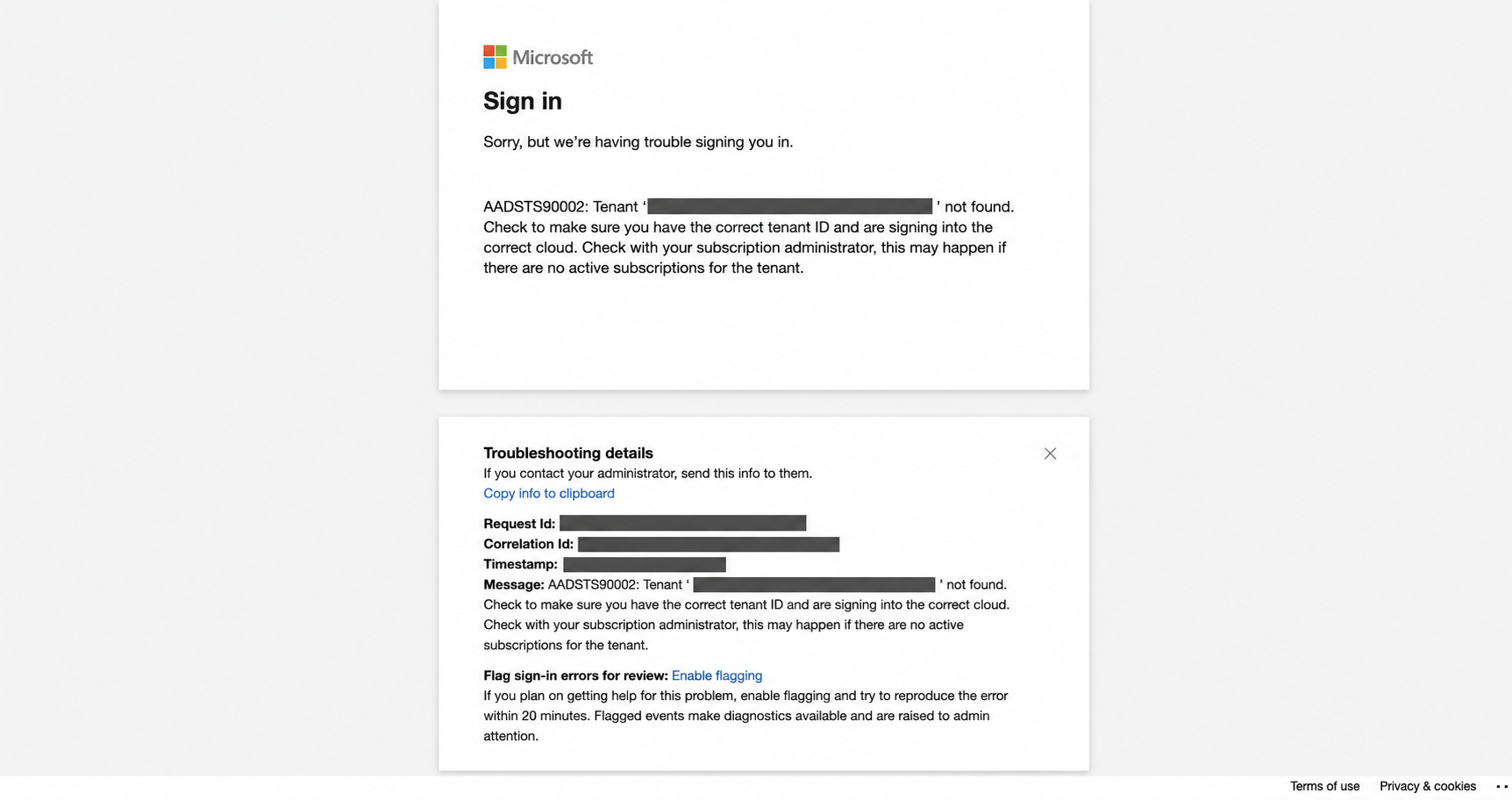
During one test-tenant retirement, a fresh portal sign-in returned AADSTS90002 while both public OIDC discovery URLs continued serving metadata. The sign-in and discovery checks were answering different questions. A metadata response alone did not establish that the directory still accepted sign-in.
Both discovery URLs first returned tenant-not-found about 48 minutes after the deletion request. Metadata then reappeared in later samples. Three consecutive confirming samples completed about one hour after the request. These are rounded observations from that case, not a completion time to promise for another tenant.
I therefore capture a successful discovery baseline before deletion and retain repeated observations afterwards. Match the baseline issuers to the verified GUID, then record HTTP statuses, response bodies, UTC times and available request IDs. A mistyped GUID can produce tenant-not-found too.
OIDC discovery documentation:
https://learn.microsoft.com/en-us/entra/identity-platform/v2-protocols-oidc
Check both discovery endpoints
For Microsoft's commercial cloud, these Bash commands use public metadata and need no administrator token. Replace the example with the verified tenant GUID. Capture the successful baseline before deletion, then repeat the same requests afterwards.
TENANT_ID='11111111-2222-4333-8444-555555555555'
curl --silent --show-error --include --max-time 20 "https://login.microsoftonline.com/${TENANT_ID}/.well-known/openid-configuration"
curl --silent --show-error --include --max-time 20 "https://login.microsoftonline.com/${TENANT_ID}/v2.0/.well-known/openid-configuration"
The v1 issuer should identify the GUID at https://sts.windows.net/{tenant-guid}/ and the v2 issuer at https://login.microsoftonline.com/{tenant-guid}/v2.0. Save the responses outside the tenant.
Use an organizations discovery request as a control in each observation round:
curl --silent --show-error --include --max-time 20 "https://login.microsoftonline.com/organizations/v2.0/.well-known/openid-configuration"A healthy control returns HTTP 200 and OIDC metadata. My checkpoint for the observed case was three consecutive rounds, approximately one minute apart, in which both tenant URLs returned HTTP 400 with error invalid_tenant and structured error_codes containing 90002, while the control remained healthy.
HTTP 400 alone is insufficient. A curl process exit code is not a tenant-deletion status either. Retain the bodies and reset the count if either tenant URL serves metadata again or a response is inconclusive. Timeouts, DNS failures, throttling and server errors remain inconclusive.
Microsoft describes AADSTS90002 as tenant-not-found and notes that error codes can change. Review the diagnostic criterion against current responses before using it for another retirement. The organizations control establishes general endpoint reachability; it cannot validate the GUID or establish that every Microsoft service has converged.
Microsoft identity platform error reference:
https://learn.microsoft.com/en-us/entra/identity-platform/reference-error-codes
This is an operational verification method rather than a Microsoft deletion SLA. Public metadata disappearance establishes the outcome of that discovery check. It does not attest physical erasure from backups, future domain-name reuse or the end of every retention obligation.
Finish with evidence you can still reach
Keep the verified directory identity, positive baseline, dependency outcomes, deletion receipt and repeated observations together outside the retired tenant. Record the reviewer and decision time. If the observation budget expires or metadata reappears, leave verification pending and assign the next review or support escalation.
The order matters: preserve usable administration before the last entitlement expires, clear the dependencies, submit deletion, then verify the result. Removing the licenses may feel like finishing the cleanup. With only eligible administrators left, it can be the step that stops you finishing it.
The editorial images are AI-generated illustrations. The timeline shows rounded observations from one case. Selected screenshots are AI-anonymized derivatives of operational captures; originals remain separate. Edited images illustrate the workflow and are not pixel-exact evidence or copyable JSON.
Related reading
Manuel Meyer, Azure Tip 13, 19 September 2022, provides an earlier walkthrough of cleanup and the Unable to delete tenant error. Consult current Microsoft documentation before adapting its commands.
https://manuelmeyer.net/2022/09/azure-tip-13-how-to-delete-an-azure-tenant-and-a-painful-error-message-unable-to-delete-tenant/