
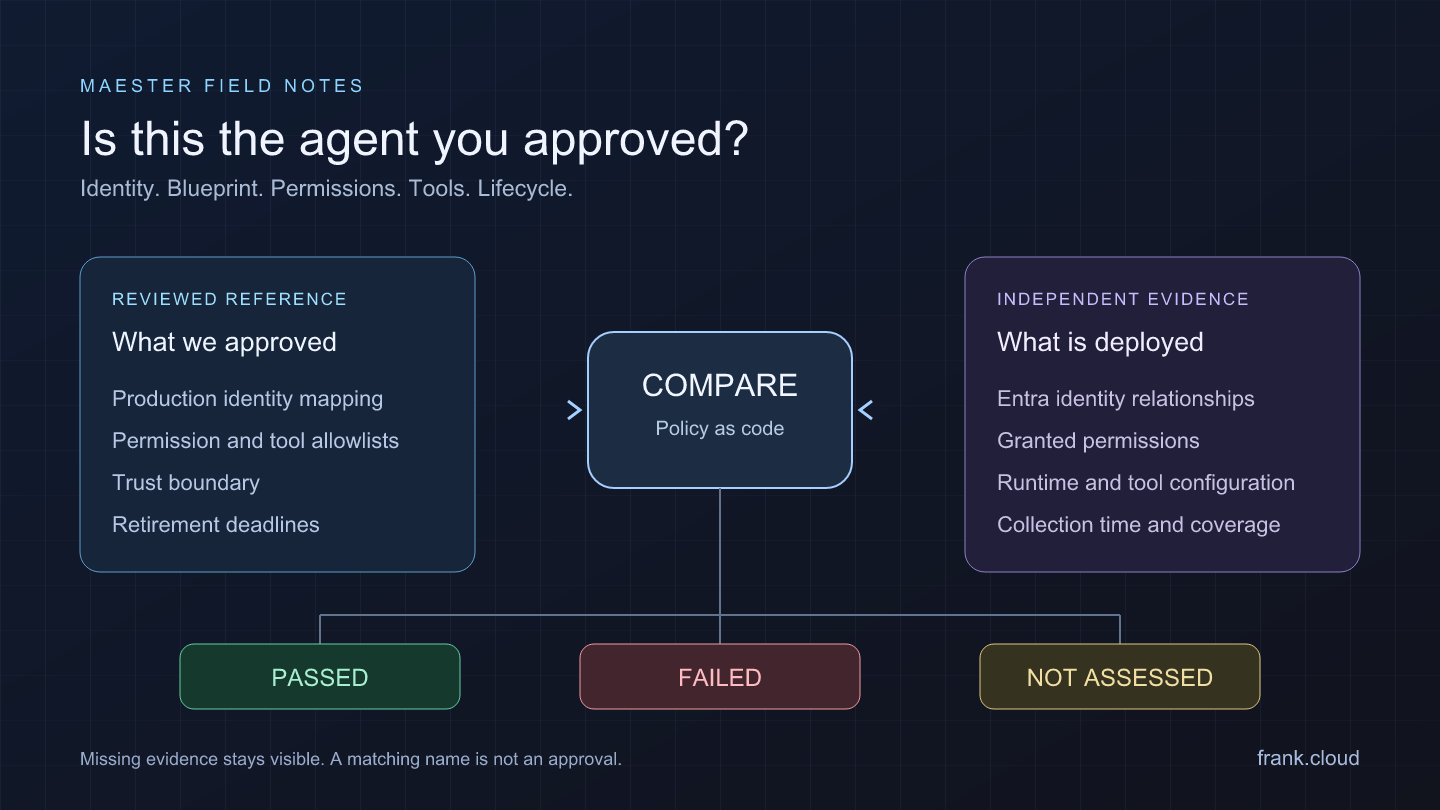
A support agent has an owner. Its credential is valid. Its permissions look ordinary when you review them one by one. But it is running under the old application identity, calling a tool nobody approved, and keeping a retired blueprint in use.
Those are useful findings even if none of the individual permissions appears on a list of dangerous privileges. The question is whether this particular deployment still matches the decision that allowed it into production.
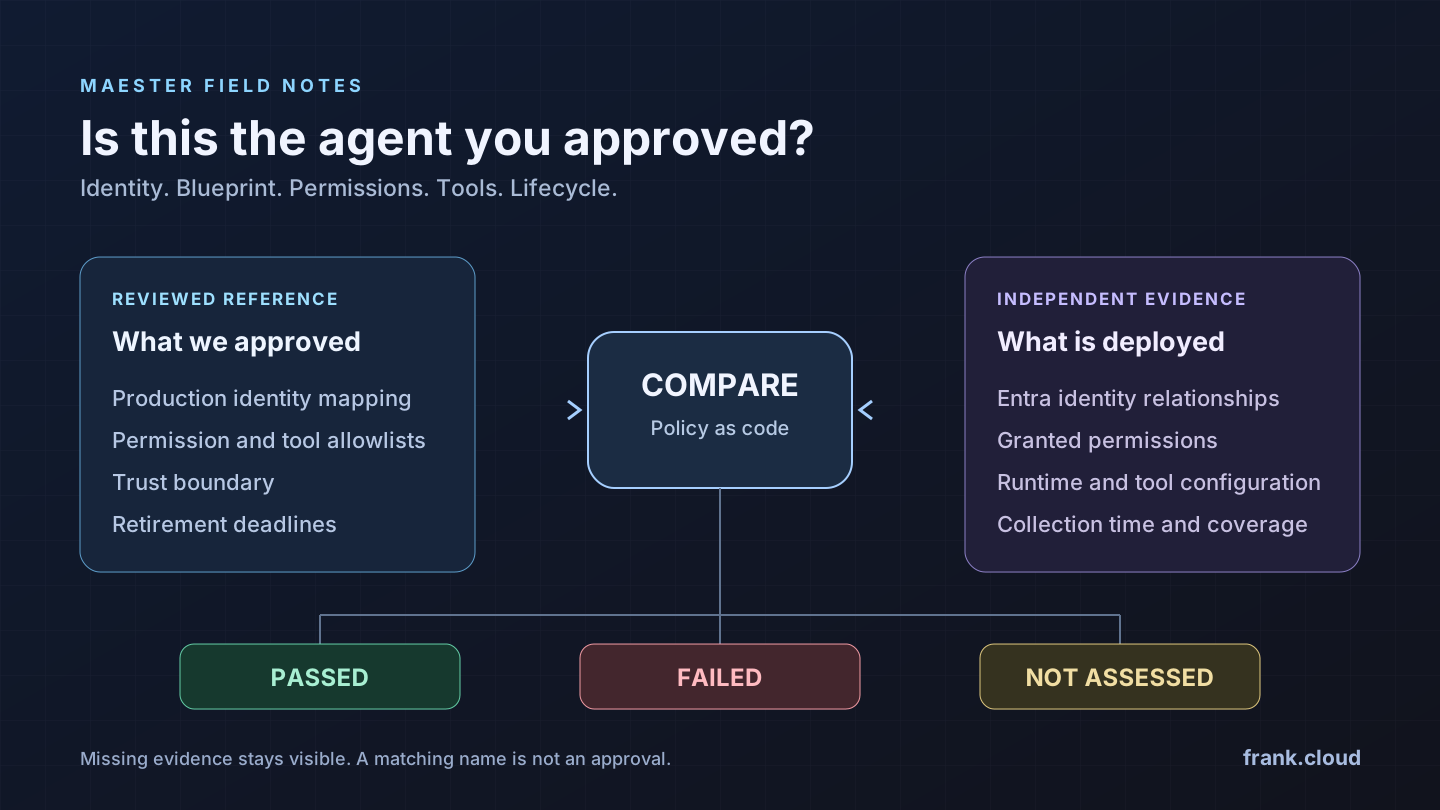
In the Maester introduction, I used a password reference to make that comparison tangible. AI agents make the same pattern more interesting: put the approval in version control, collect the deployment separately, and make a mismatch fail for a reason someone can understand.
The examples below are fictional. They describe an adopted production policy, not observations from an employer or customer environment.
Why a blueprint deserves more attention than its name
An Entra agent identity blueprint is part of the authentication foundation for the identities created from it. Its credentials matter beyond the blueprint object itself. Datadog Security Labs' blueprint analysis explains how blueprint control can affect multiple child identities and permission contexts, including identities in tenants that trust a published blueprint.
Their follow-up attack demonstration makes that risk concrete. Read it as a June 2026 research scenario: individual permission and escalation prerequisites need checking against the current platform. The architectural lesson is still worth testing against your own design decisions.
There is another problem that needs no elaborate attack chain. A useful agent gains another permission, then another tool, then a production deployment using a shared development blueprint. Microsoft's discussion of agent least privilege and tool binding describes this gradual expansion and the importance of defining the authority of the whole workflow.
That gives us a practical test question: is this the identity, blueprint, permission set and tool configuration we actually approved for this workload?
Use Maester's existing agent checks first
Maester already has agent coverage. I reviewed the relevant upstream checks at commit 6165598 on 6 November 2026. This includes preview code; it does not mean every installed release runs all of these checks by default.
- MT.1204 and MT.1205 check ownership and sponsorship.
- MT.1200, MT.1203 and MT.1206 address parent relationships and lifecycle or inactivity findings.
- MT.1208 examines blueprint credential hygiene, including an active secret retained alongside federation. MT.1211 flags unrestricted scope or role inheritance.
- MT.1120 surfaces Copilot Studio MCP tool integrations for review. MT.1225 checks whether default users can create agent blueprints.
Check your installed version, permissions and preview settings before interpreting coverage. A skipped or unselected test has not established the corresponding requirement.
There is also a native JSON drift check, MT.1060. Use it where comparing an approved baseline with a current snapshot answers the question. The custom work here supplies business context and evaluates relationships: which production workload belongs to which blueprint, which permissions were approved for it, and when a retirement decision becomes enforceable.
Make legacy a precise finding
Two different situations tend to get called legacy.
The first is an AI workload using a classic app registration and service principal. It can function, but it is not thereby a native Entra Agent ID identity. Microsoft's architecture guidance explains that distinction. Its migration guidance describes creating the new resources and transitioning the workload; changing a display name does not convert the old identity.
The second is an existing agent blueprint that your organisation has decided to retire. Its creation date or a name containing “legacy” does not establish that it is unsafe. Your approved lifecycle decision supplies the requirement: after a stated deadline, its principal must be disabled or absent from a complete inventory, and the snapshot must show no enabled child identities remaining.
For this example, the production registry requires native AgentIdentity for every listed workload. A mapped classic application therefore fails that adopted requirement. Development environments and migration exceptions need their own explicitly reviewed scope or policy; silently accepting every old identity would erase the decision we wanted to test.
Six questions the approval registry lets us ask
1. Is the approved agent using the approved identity model and blueprint? Join the production workload inventory to immutable identity records. A different blueprint fails even if both blueprints independently pass hygiene checks. A friendly name is not a reliable join key.
2. Is it deployed inside the approved trust boundary? The reference can distinguish support production from a shared development runtime. Microsoft recommends choosing blueprint boundaries around shared compromise risk in its architecture guidance. Deployment evidence has to support the boundary claim; a label in a JSON file does not establish network, credential or runtime isolation.
3. Are its collected grants still within its approved permission set? A permission can be acceptable for one agent and excessive for another. Compare resource application ID, permission ID and application-versus-delegated type. A generic high-risk permission check and a workload-specific allowlist answer different questions.
4. Are its configured tool endpoints the reviewed endpoints? An MCP integration may be intentional. A per-agent catalog lets you distinguish the reviewed support endpoint from an added endpoint or a different path. This checks configuration against approval; tool behavior, data handling and resistance to prompt injection still need separate evaluation.
5. Did an explicit blueprint retirement actually happen? An enabled retired principal is a confirmed violation after its approved deadline. An unreadable blueprint collection leaves the question unassessed. This gives a migration owner a concrete overdue decision to resolve.
6. Is every agent in the declared production inventory approved? Checking only the known good entries misses unexpected deployments. Compare in both directions. This can flag an extra agent in that inventory; discovering agents outside the collected scope remains a separate inventory problem.
These are custom requirements. Their identifiers in the working example begin with CUSTOM.AGENT; they are not built-in Maester test IDs.
A working example that really fails
The example repository contains a versioned production policy, four evidence fixtures, a PowerShell evaluator, tests and a Pester-format adapter for Maester 2.x.
The policy approves one fictional support agent, one specific blueprint, one deployment boundary, one delegated permission and one tool endpoint. A second blueprint has a retirement deadline. The fixture called legacy-and-retired.json deliberately violates the identity-model requirement and leaves that retired principal enabled.
From the repository root, run this excerpt. The explicit clock keeps the dated teaching fixture reproducible:
Import-Module ./src/AgentGovernance.psm1

# Load approval and deployment evidence separately
$policy = Read-AgentGovernanceJson -Path (
    './references/production-policy.json'
)
$evidence = Read-AgentGovernanceJson -Path (
    './examples/fixtures/legacy-and-retired.json'
)

# Use the fixed fixture time, not a production override
$check = @{
    Policy   = $policy
    Evidence = $evidence
    NowUtc   = [datetimeoffset]'2026-11-06T12:00:00Z'
}

$results = @(Test-AgentGovernance @check)
$results | Select-Object CheckId, Status
The result contains two confirmed failures: CUSTOM.AGENT.001 for the classic application identity and CUSTOM.AGENT.005 for the retired enabled blueprint principal. The other three checks pass on their own evidence. The approved fixture produces five Passed results; the incomplete fixture leaves the permission check NotAssessed.
Run ./examples/Compare-Demo.ps1 to see all four scenarios. The evaluator does not connect to Entra or change a tenant. It compares supplied evidence with the reference; a production collector is a separate integration that must establish the facts the example consumes.
Do not mistake a permission declaration for a grant
A production implementation needs more than exporting the blueprint manifest. Microsoft distinguishes required resource access and inheritable permissions from granted authorization. A declaration of desired access does not itself establish consent.
Build the observed permission set from actual assignments and consent grants, with the applicable inheritance rules. Resolve the resource and permission identifiers, split delegated scope strings, follow pagination and retain the source records. Compass Security's research is useful background for understanding the different objects on which permission-related information can appear.
The example compares the normalized granted-permission tuples supplied to it. It does not calculate every effective entitlement: Azure RBAC, group-derived access, resource-specific roles, user context and resource-side enforcement require further evidence. A matching grant list cannot establish that a particular token or tool operation will be accepted or denied.
The same discipline applies to the workload mapping and tool catalog. Runtime identity choices need deployment records; tool endpoints need the agent platform's configuration. Copying policy values into the observed file would only test the reference against itself.
Let incomplete evidence stay incomplete
The evidence contract includes collection time, scope and separate completeness markers. A failed permission read must not become an empty permission array. An omitted property, an interrupted page sequence and a successfully collected empty list have different meanings.
The evaluator preserves Passed, Failed and NotAssessed per question. A confirmed legacy identity can fail while unrelated tool evidence remains unassessed. A stale snapshot or a snapshot for the wrong scope cannot establish a passing assessment.
The command-line wrapper exits with 1 for a confirmed violation and 2 for incomplete assessment or invalid input without a confirmed violation. A pipeline should handle both. The Maester adapter reports confirmed failures and explains skipped assessment. Monitor those skips instead of treating an otherwise successful job as complete coverage.
Turn a finding into a reviewed decision
A useful result names the workload, the approved requirement, the observed mismatch and the policy revision. Give it to the person who owns the deployment or retirement decision.
For a classic identity, plan and validate the migration, including permissions on the new identity. For an unexpected grant or tool, establish whether the deployment drifted or the approval needs a new review. For a retired blueprint, review its dependencies before disabling or deleting anything. Microsoft's deletion guidance describes the impact on related identities.
Then collect fresh evidence and run the same requirement again. Keep collection revision, policy revision and execution time with the result. That makes the next failure explainable without weakening the test to make the dashboard green.
Start with one agent you can explain
Choose one production workload and record the identity model, blueprint, boundary, permissions, tools and lifecycle decision you are willing to approve. Keep the expected configuration separate from its evidence, run the existing Maester coverage, then add the relationship checks that express your own decisions.
The working example is a starting point for that comparison. The Maester introduction explains the wider operating loop.
An agent can satisfy a baseline and still differ from its approval. Make that difference reviewable, observable and worth acting on.